Two lives. One app. No overlap.
EdNotes keeps notes, checklists and calendars in separate profiles, so work never bleeds into private life. And it doesn't stop at two — add one for studies, a side project or the family, each with its own calendar and its own notification rules.
Free to use. No account needed to start — your notes can stay on the phone.
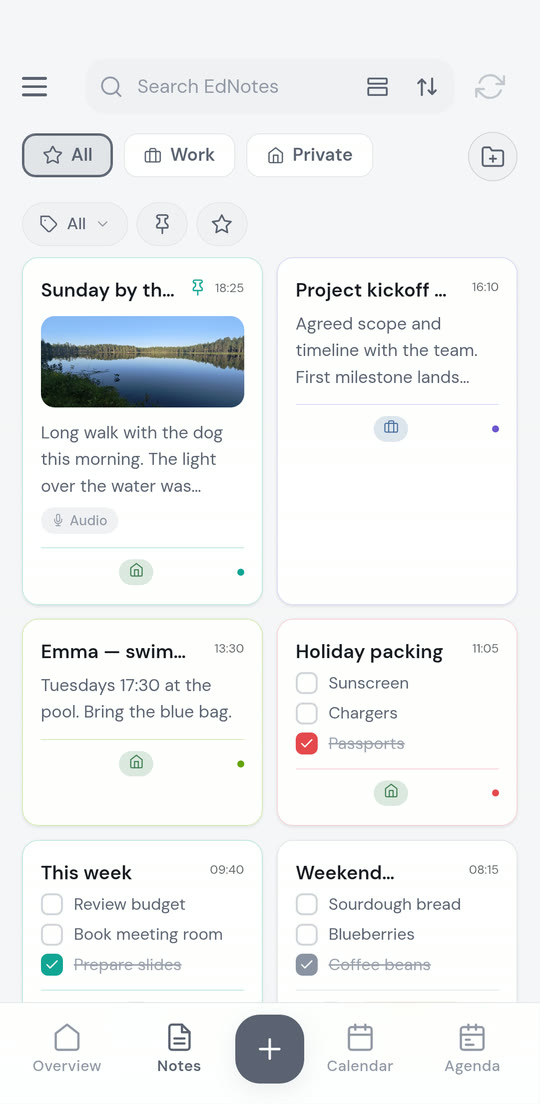
Turn off work without turning off your life.
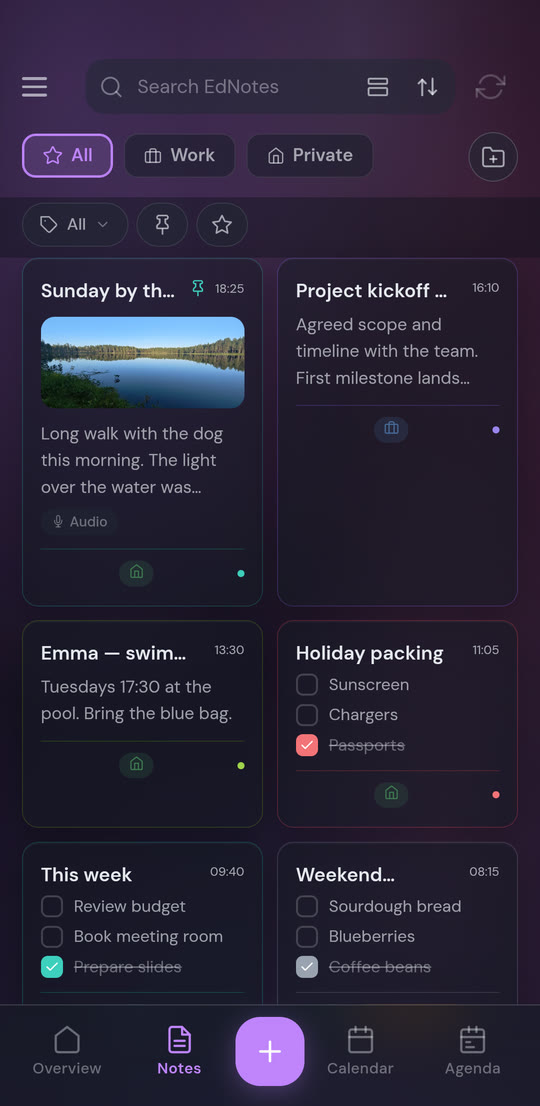
Work and private is where most people start, but a profile can be anything — studies, a side project, a club, the family. Every one is its own world: its own notes, its own calendar, its own agenda, its own labels and its own notification rules. Tap the profile bar to switch, or pick the star to see everything at once.
- A profile for each part of your life, so every note and idea has somewhere it belongs (two included free, unlimited with Pro)
- Each profile links to its own calendar — device or Google — so the calendar and agenda show only that profile's events
- Notifications are set per profile: the weekdays, time ranges and date periods when that profile is allowed to reach you
- Reminders that land outside a profile's schedule are moved to the next allowed time, not dropped
- 36 built-in profile icons and 15 muted profile colours, plus any emoji you like
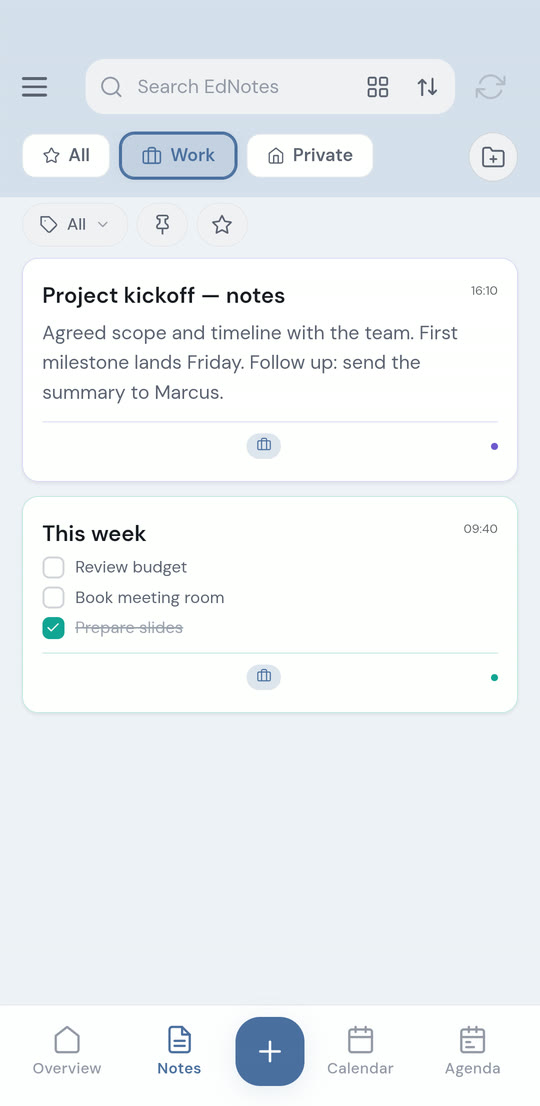
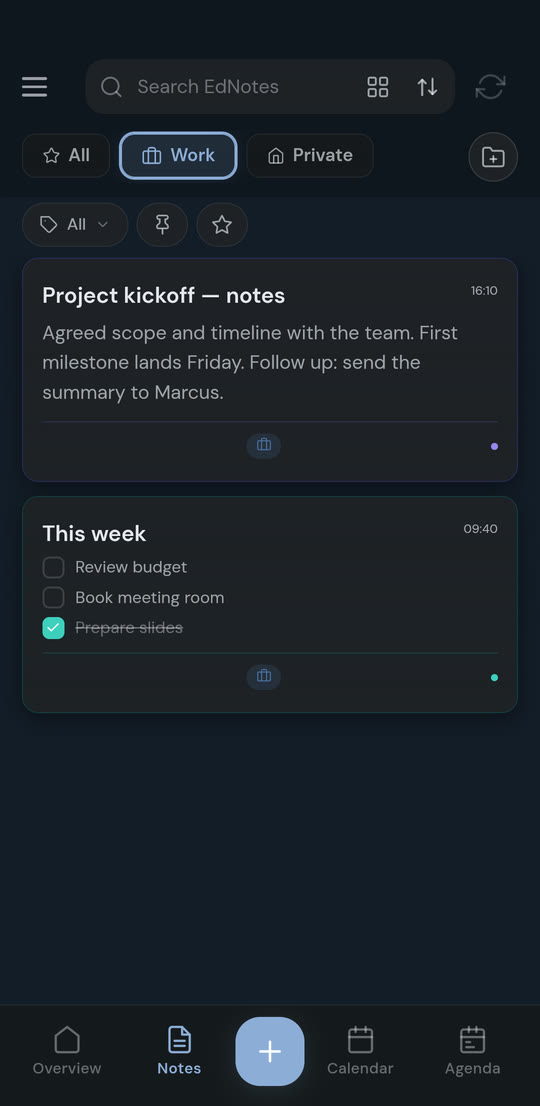
Work
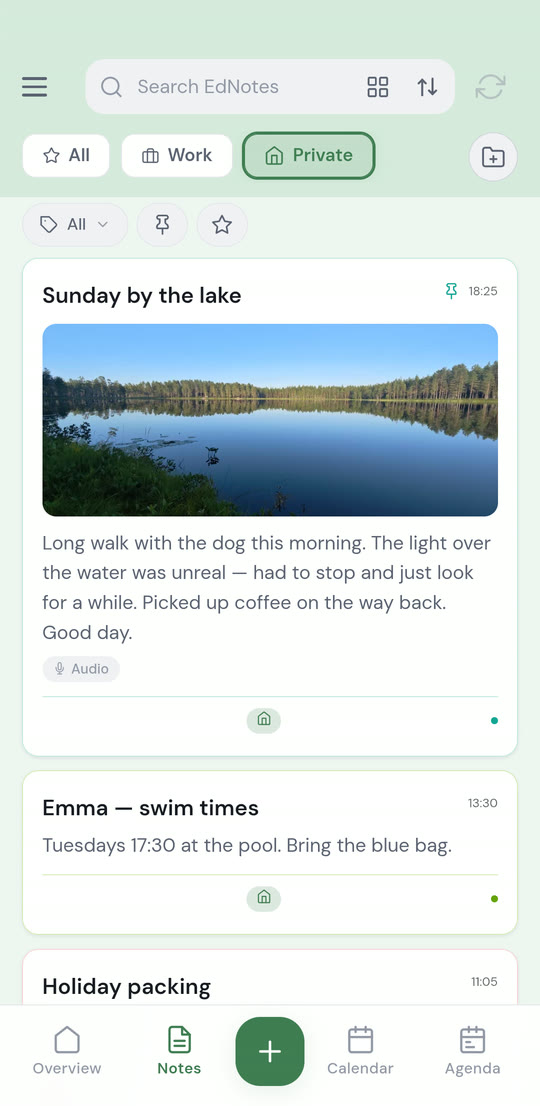
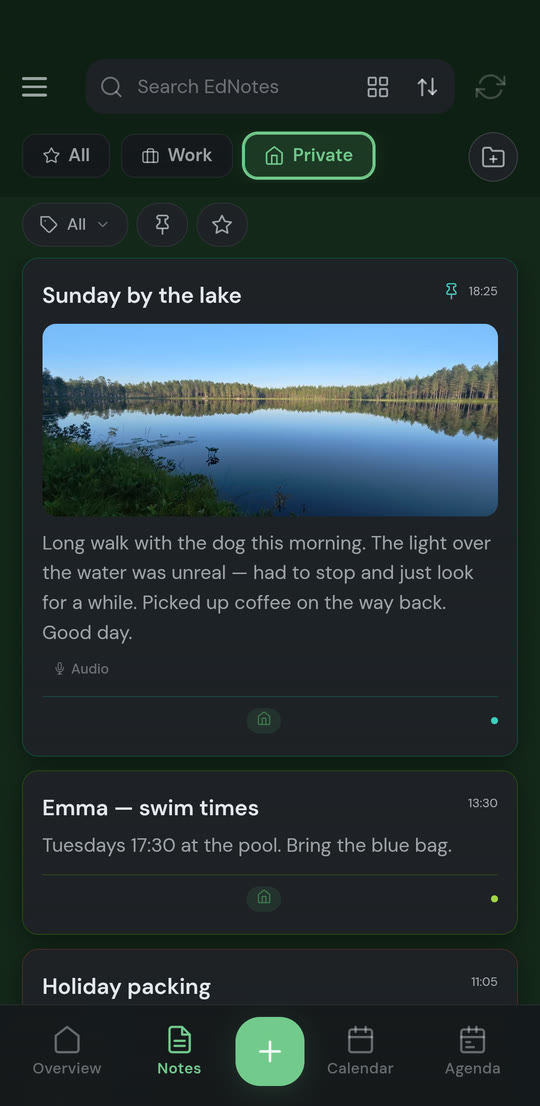
Private
Write it down the way you'd actually write it down.
A note can be plain text or a checklist, with photos, voice recordings, emoji and links mixed in. Format what you select — colour, size, typeface, bold, italic, highlight — or just type Markdown and watch it format itself as you go.
- Type
**bold**,*italic*,~~strikethrough~~or# headingand the text formats while you write - Attach photos from the camera or gallery, and record voice memos straight into the note
- Give a note a background: plain, colours, patterns, built-in pictures, or your own image with blur, brightness and tint controls
- Format the title too — the styling carries through to the note's card in the grid
See the whole day, filtered to the life you're currently in.
Link a calendar to each profile and EdNotes reads and writes events on it, so your existing Google Calendar or phone calendar stays the source of truth. The agenda goes further: it puts notes and checklists on the timeline next to events, so a packing list shows up on the day you travel.
- Month, week and day views, with all-day events on their own strip instead of filling the column
- Per-profile sync mode: device calendar, Google Calendar, or off for local-only notes
- Recurring events — every N days or weeks, specific weekdays, ending never, on a date, or after N times. Free for everyone
- Pin a note to several agenda dates at once, or let it repeat until an end date you pick
Share the shopping list, not your whole account.
Invite someone to a single note or list and you both see edits as they happen. Everyone else's notes stay private. Invitations go out by e-mail, or by a six-character join code the other person can scan from your screen.
- Live updates: when the other person ticks an item, it ticks on your phone
- Three roles — admin, editor and viewer — so you can share something read-only
- Join codes work once and expire after seven days; create one per person you invite
- Pin, favourite and archive on a shared note apply only to you, and if a share ends you keep your own copy
Start the day on one screen.
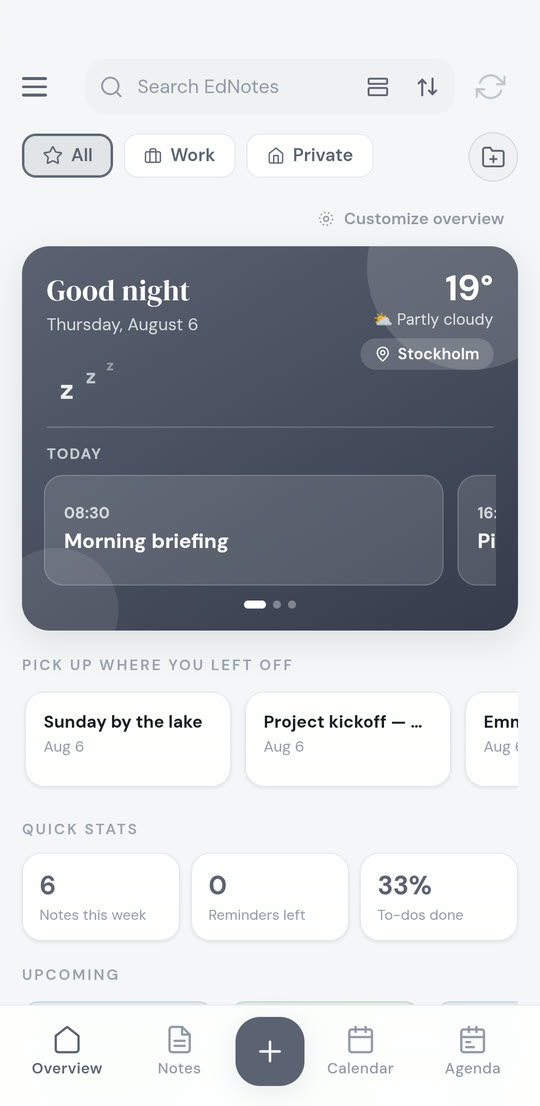
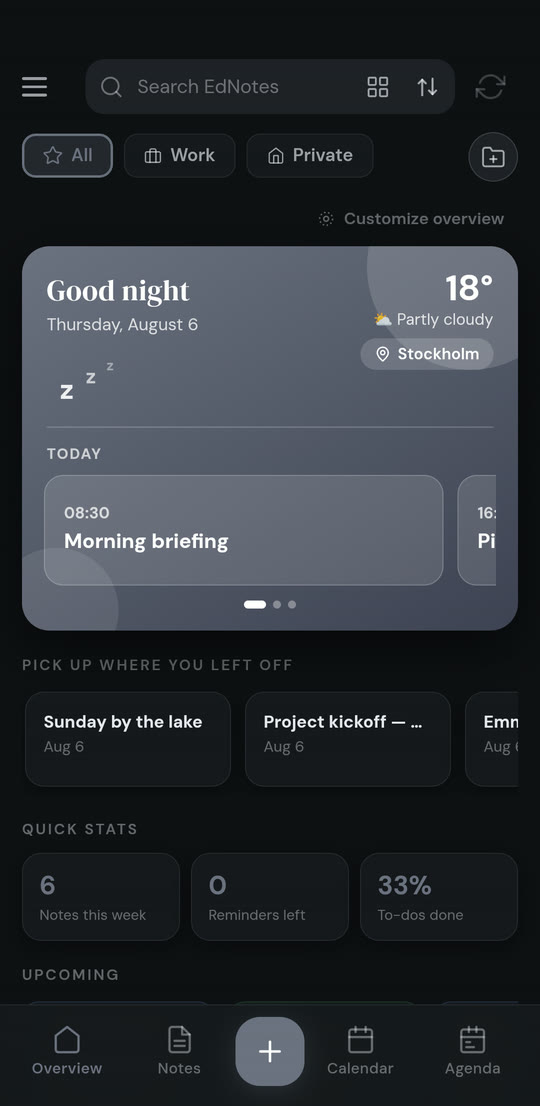
The Overview tab opens with a greeting, today's weather for the location you picked for that profile, and today's schedule as swipeable cards. Below it: a card per profile with its agenda, what you were last working on, and a few numbers worth knowing.
- Weather per profile — the office and home can have different locations, using MET Norway (Yr) data
- “Pick up where you left off” reopens the note you last had open
- Quick stats: notes this week, reminders left, to-dos done — plus “On this day” from previous years
- Choose which sections appear, per profile, under Customize overview
Talk when typing is the wrong tool.
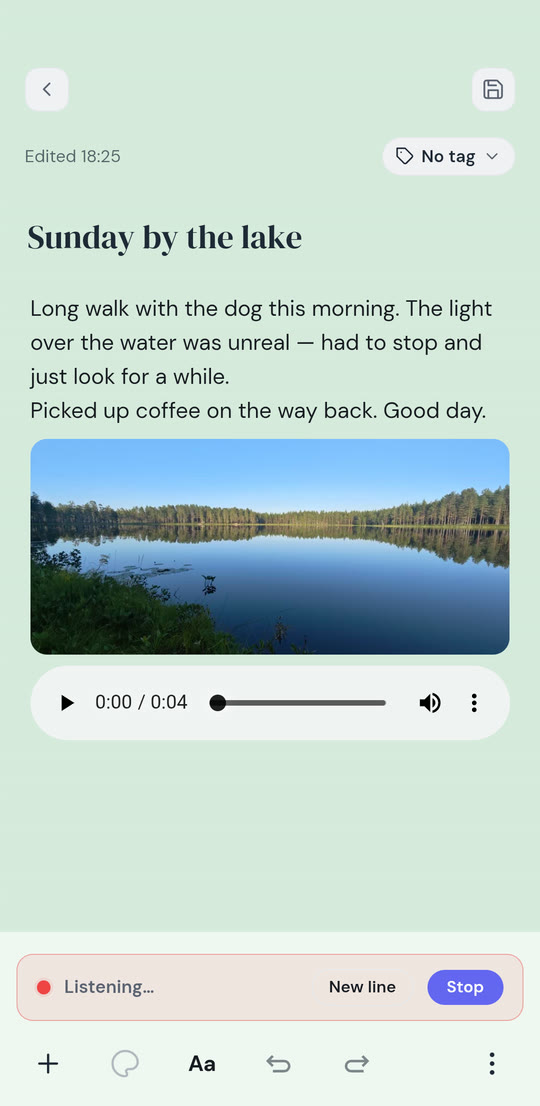
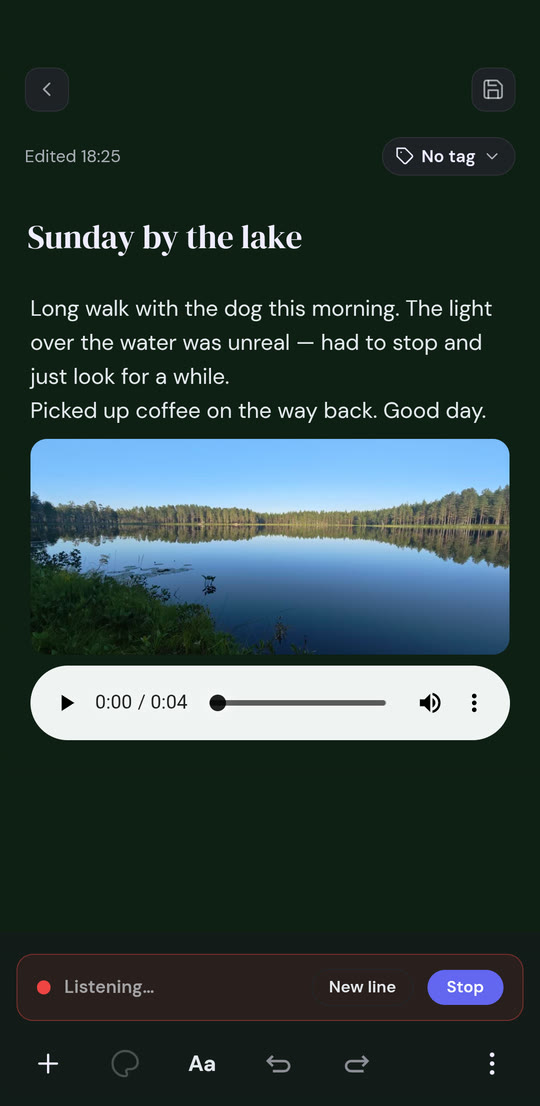
Dictation writes each finished sentence in at the cursor, so you can keep editing while you talk. What you are saying right now sits in a “Listening” row until the sentence lands. It keeps going until you tap Stop.
- Say “new line” for a line break; a longer pause starts a new paragraph
- In a checklist, each part of what you say becomes its own item
- Tap the title field first to dictate the title
- Or record actual audio and attach it to the note — up to one minute free, 60 minutes with Pro
Check today without unlocking the app.
Three widgets sit on your home screen: notes, agenda and calendar. Tick a checklist item, open a note, or page through the calendar without ever opening EdNotes.
- Notes widget: your notes and lists, with checkable items right on the home screen
- Agenda widget: what's on today, tapped straight through to the note
- Calendar widget: month, week and day views with navigation and a zoom that shows three days at a time
- Widgets are part of EdNotes Pro; they follow your theme's accent colour so they don't look like a different app
Make it look like something you want to open.
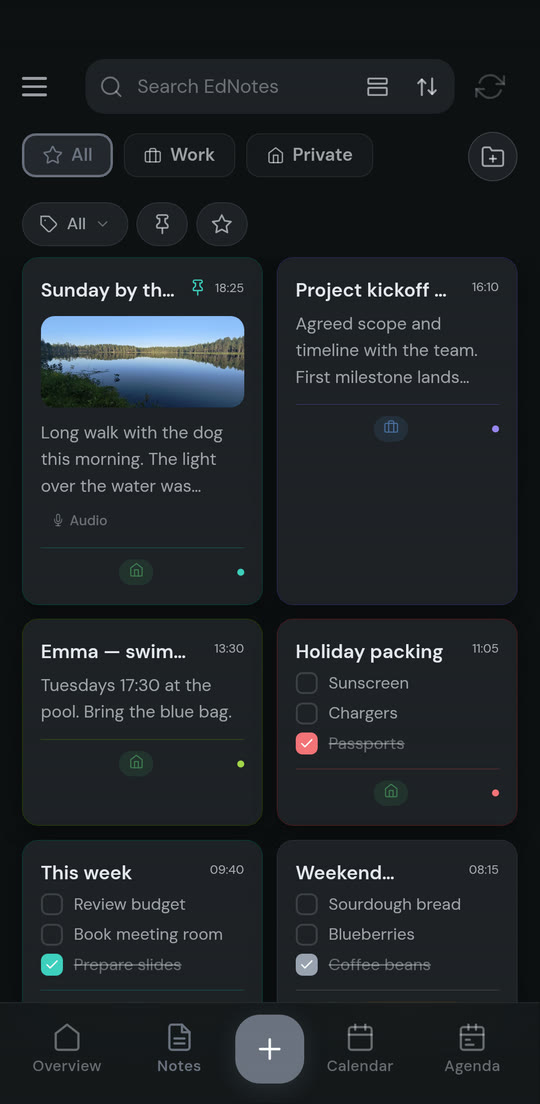
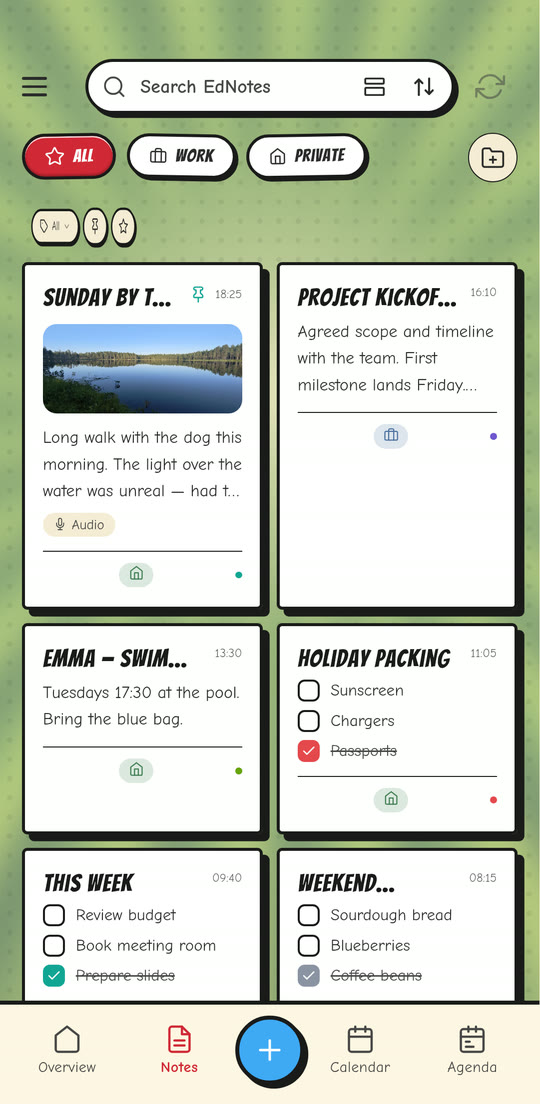
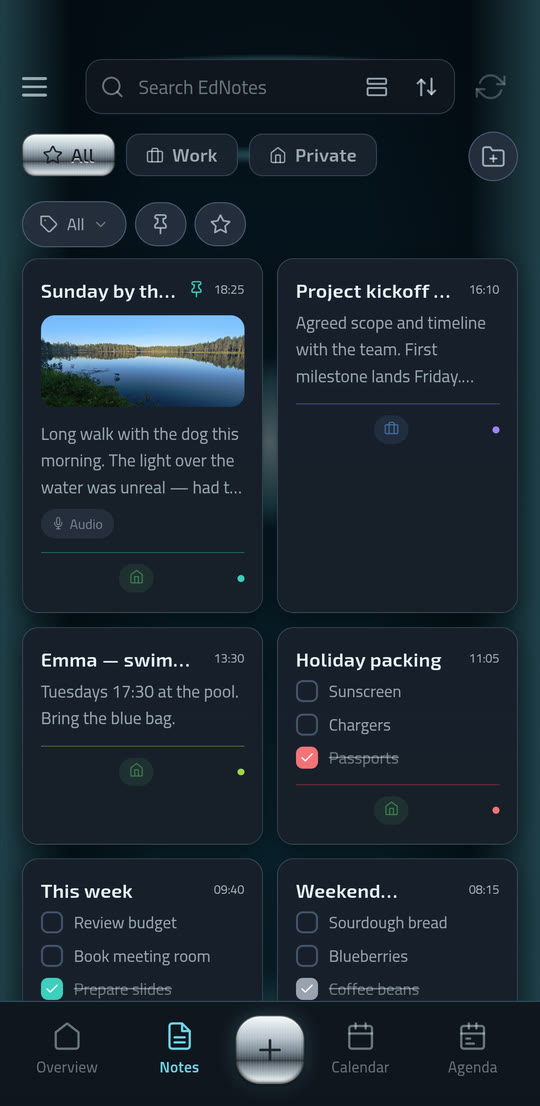
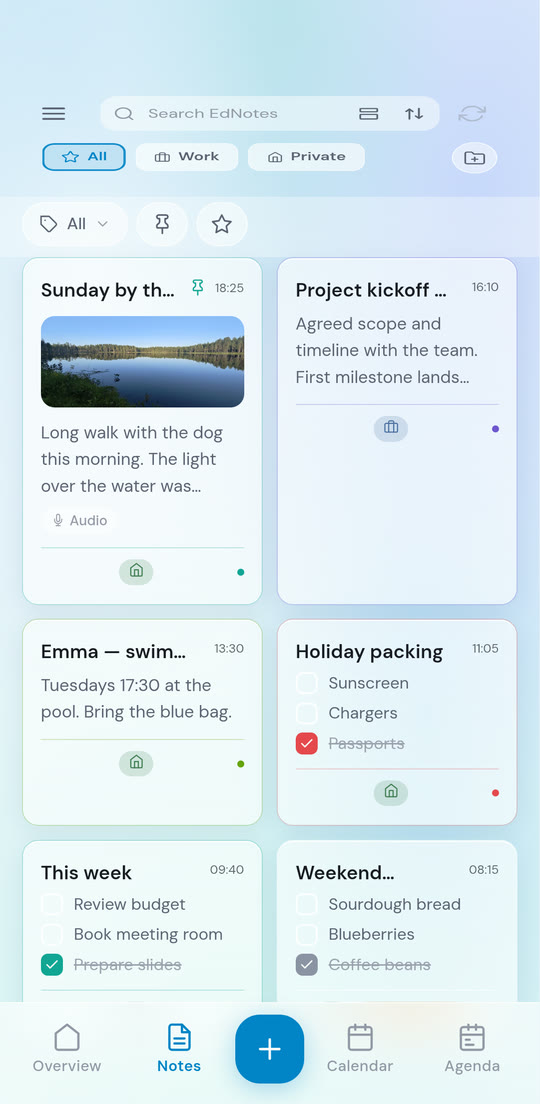
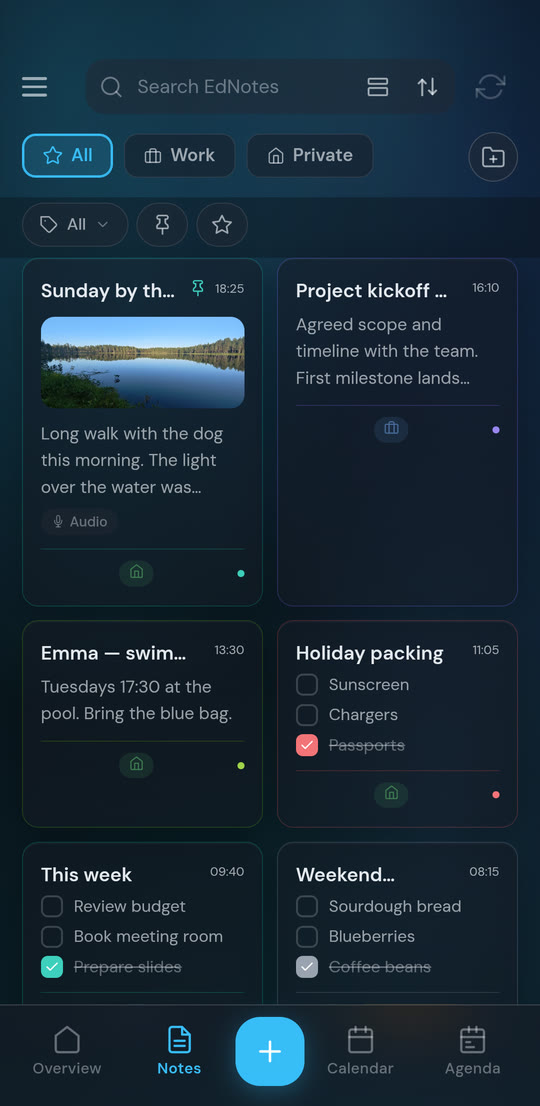
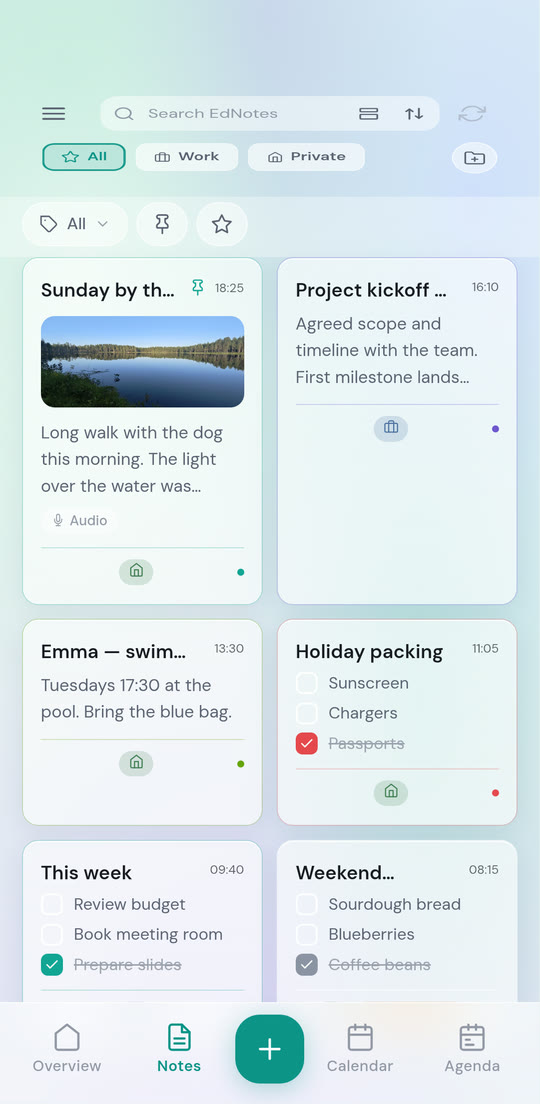
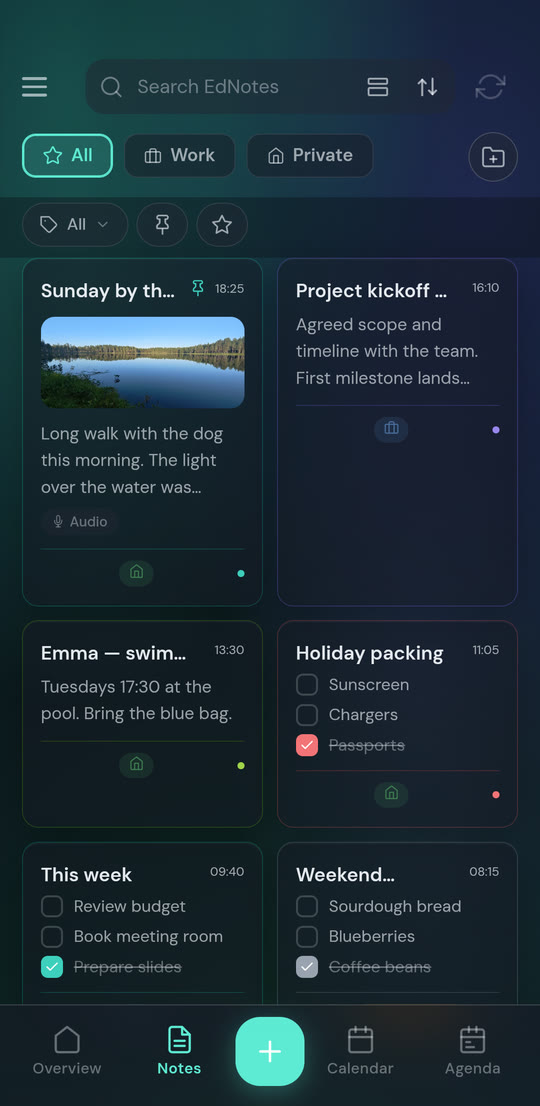
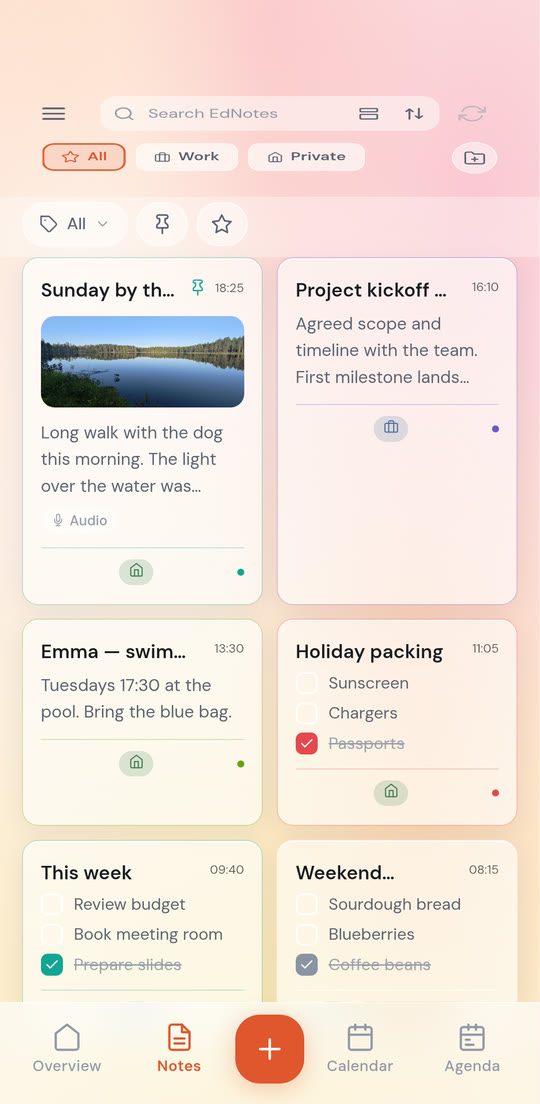
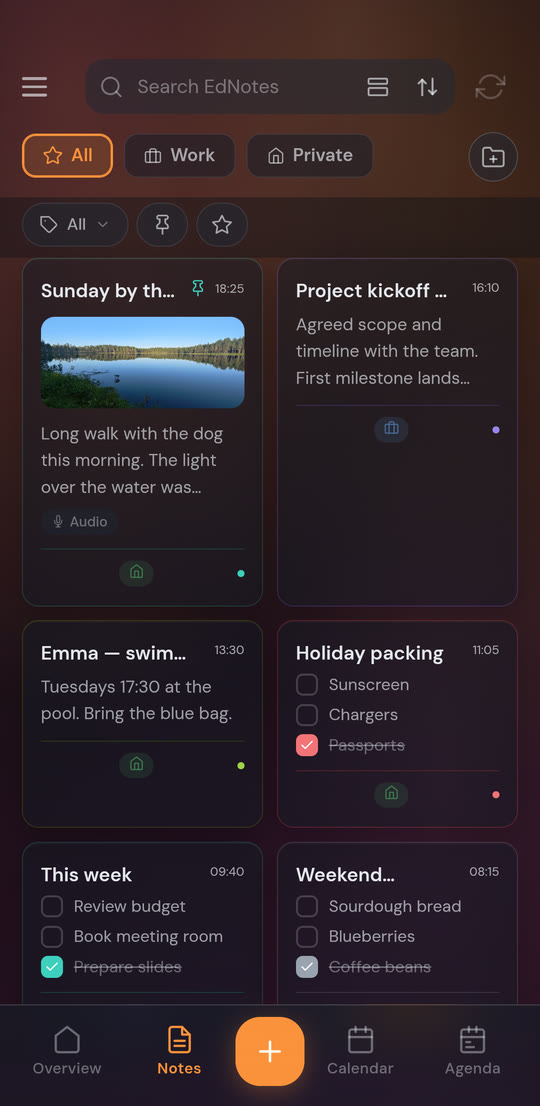
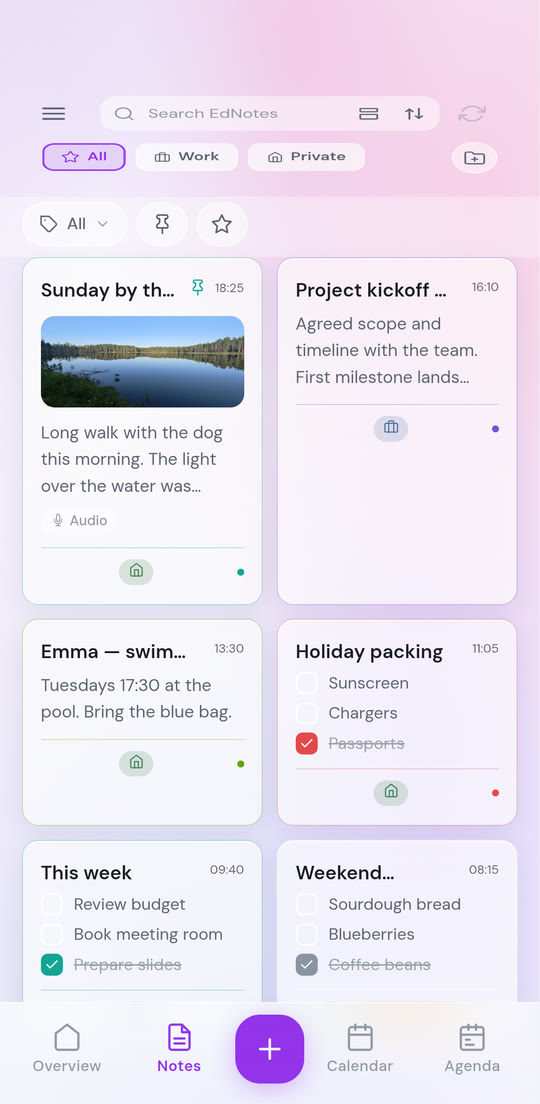
Every theme comes in both light and dark, and EdNotes can follow your phone's own setting. Classic is free. Seven designed themes come with Pro — three scene themes (comic panel, polished gold, deep space) and four frosted-glass looks over a gently animated backdrop.
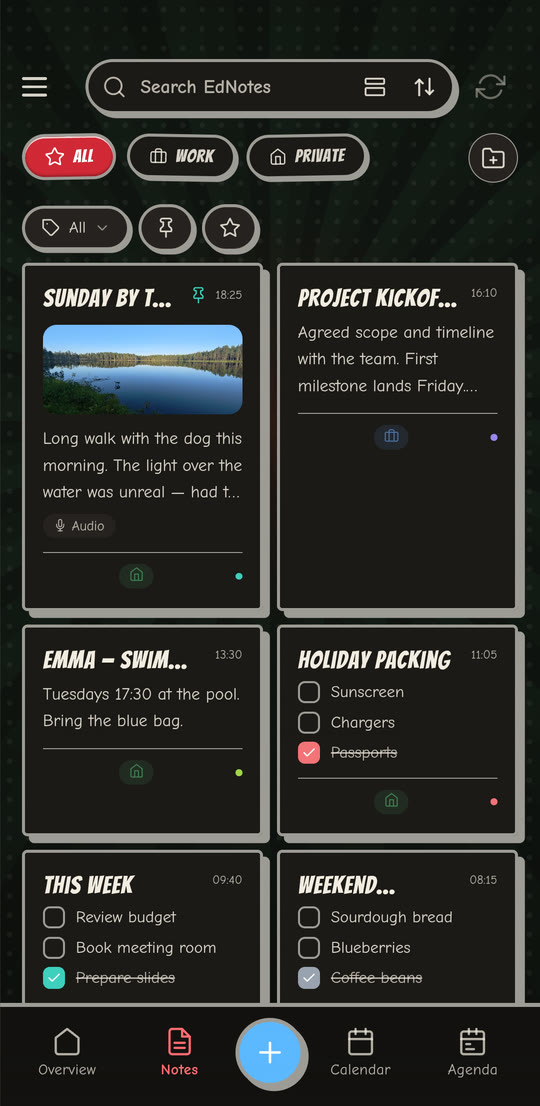
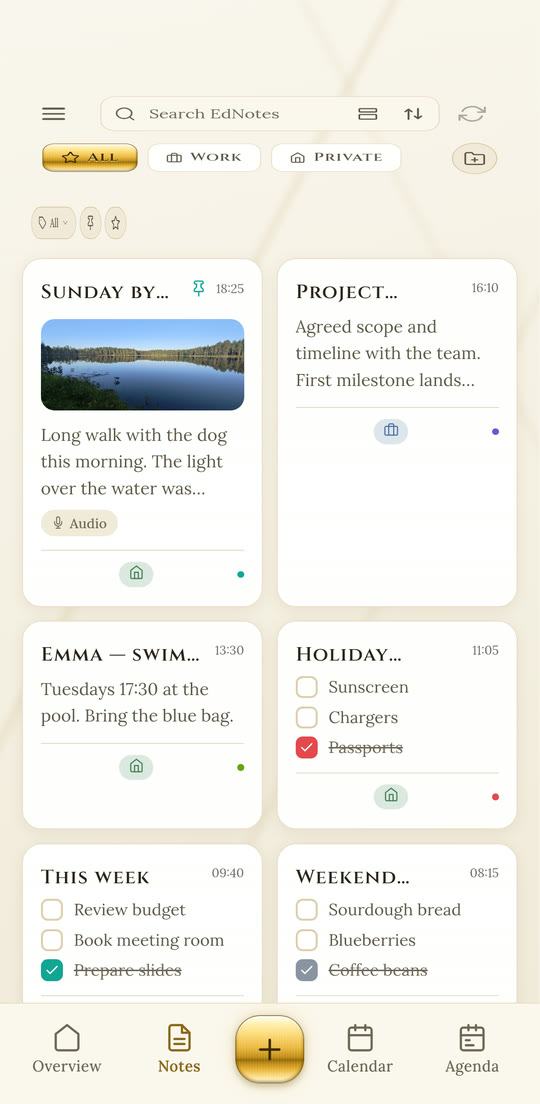
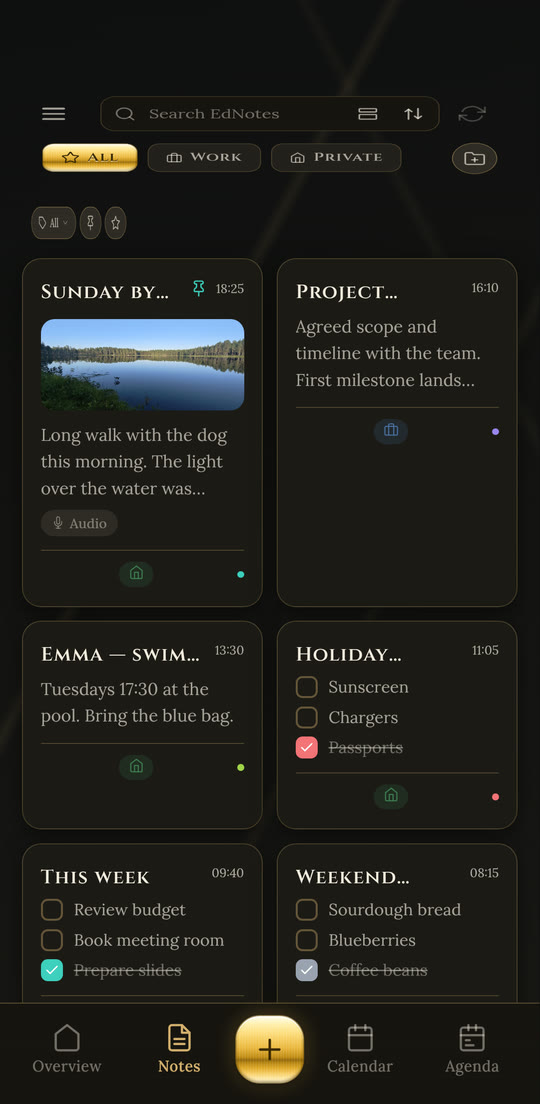
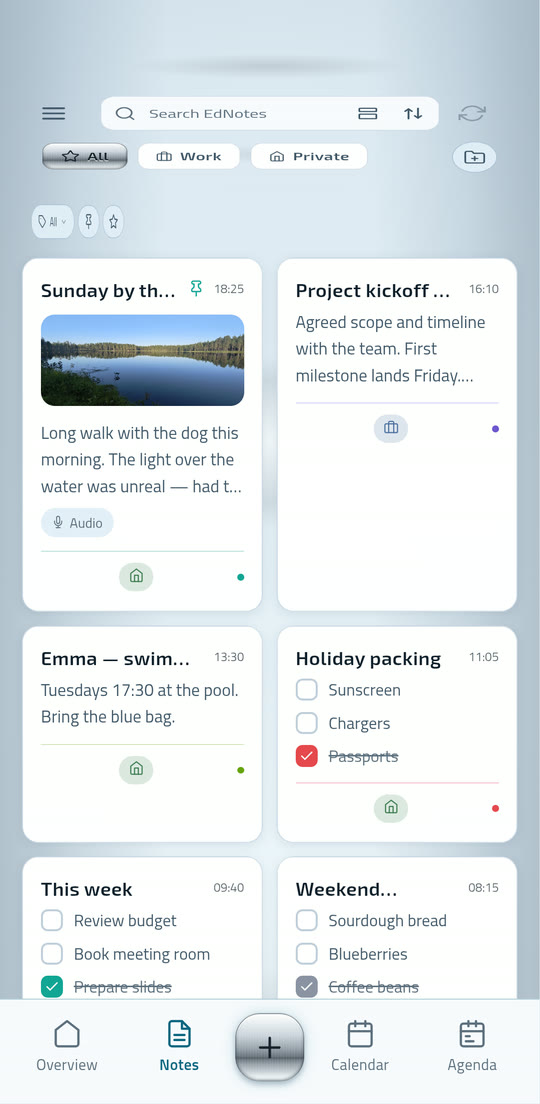
Profile colours
“Use profile colours” tints the background with the active profile's colour in any theme, so you can tell Work from Private at a glance.
Ten note typefaces
From a plain sans to Caveat, Anton and Permanent Marker — set per note, so a shopping list and a journal entry don't have to look alike.
Text size that means it
Four sizes, scaling every control in the app rather than only the body text. Useful on small screens and for tired eyes.
The things you only notice when they're missing.
Reminders on your terms
At event time, 15 minutes before, an hour before, tomorrow at 09:00, next week, or a time you pick. They arrive even when EdNotes is closed — and obey the profile's schedule.
Search and labels
Search across notes, then narrow by label. Colour-coded labels work across profiles, and the label filter is one tap from the grid.
Export and backup
Export a note to PDF or Word. Back the whole app up to a local file as often as you like, or to Google Drive using the narrow per-file scope.
Lock a single note
Put a PIN or your fingerprint on the notes that need it, and leave the rest open. Widgets and notifications respect the lock too.
Trash, not gone
Deleted notes sit in Trash for 30 days before they're removed for good, so a mistap in a hurry is recoverable.
Light and dark
Every theme comes in both, and EdNotes can follow your phone's own setting so it switches when the rest of the system does.
Your notes are yours. That's the entire policy.
EdNotes is built and published by EdStar Studios AB, a company registered in Sweden, and is operated under the GDPR. We do not sell personal data, we do not use the content of your notes for advertising or profiling, and there is no third-party analytics in the app.
Works without an account
Choose local storage at first launch and your notes never leave the phone — no account is created and no usage statistics are collected. The only thing sent is a technical error report if the app crashes, and it never contains anything from your notes. You can switch to cloud sync later.
Delete your account in the app
With a 30-day grace period. Sign in again within those 30 days and the deletion is cancelled. Nothing is removed until then.
Narrow Google scopes
Drive backup uses the per-file drive.file scope, which lets EdNotes touch only its own backup file and nothing else in your Drive.
Biometrics stay with Android
Note locking is handled by the system. EdNotes never receives, stores or transmits biometric data.
The free version is a real app, not a demo.
Notes, checklists, calendar sync, recurring events, reminders, the agenda, search, trash, cloud sync and local backup are all free, with no cap. Two profiles are included — enough for the work/private split the app is built around.
EdNotes
Everything you need for the work/private split.
- 2 profiles, 5 labels, 3 images per note
- Notes, checklists, search, trash and folders — uncapped
- Calendar sync, recurring events, reminders and the agenda
- Cloud sync, unlimited local file backups, the Classic theme
1-minute voice recordings · 3 shared notes · 3 Drive backups
No limits
Monthly, yearly, or a one-time lifetime purchase.
- Unlimited profiles, labels, images and agenda notes
- The three home-screen widgets: notes, agenda, calendar
- Seven designed themes, all ten typefaces and every note background
- Unlimited sharing, PIN and biometric note locking, export to PDF and Word
The monthly plan starts with a 14-day free trial. Nothing is deleted if you go back to free — existing content stays; the limits only apply to adding more.